Closed Alpha now open on Android
Know when your car starts using more fuel.
Fillwise tracks your fuel economy tank by tank and tells you when it drops and stays down, which is often the first sign that something needs attention. It keeps your service schedule too, and everything stays on your phone.
Free to test. Alpha testers get premium free when it launches. Android 8.0 or newer.
Diagnosis, not just a logbook
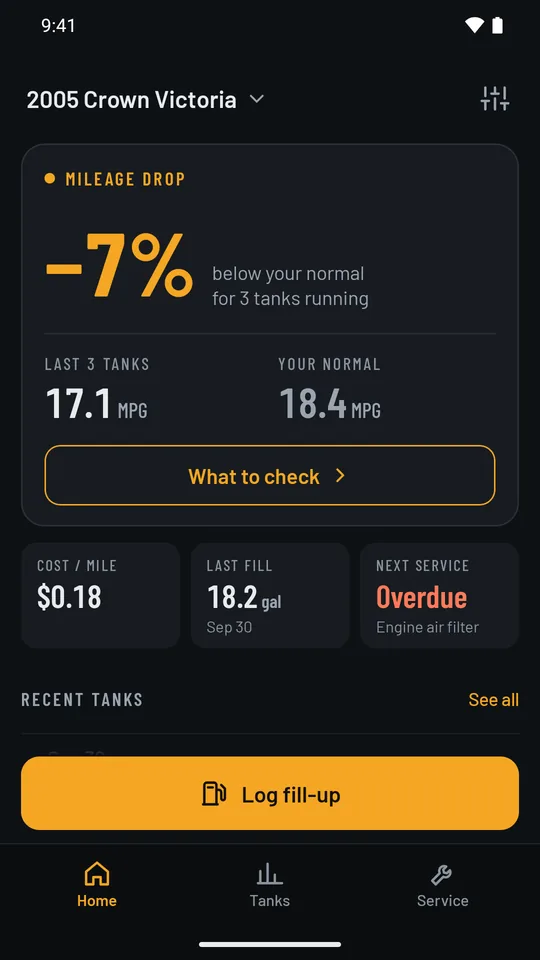
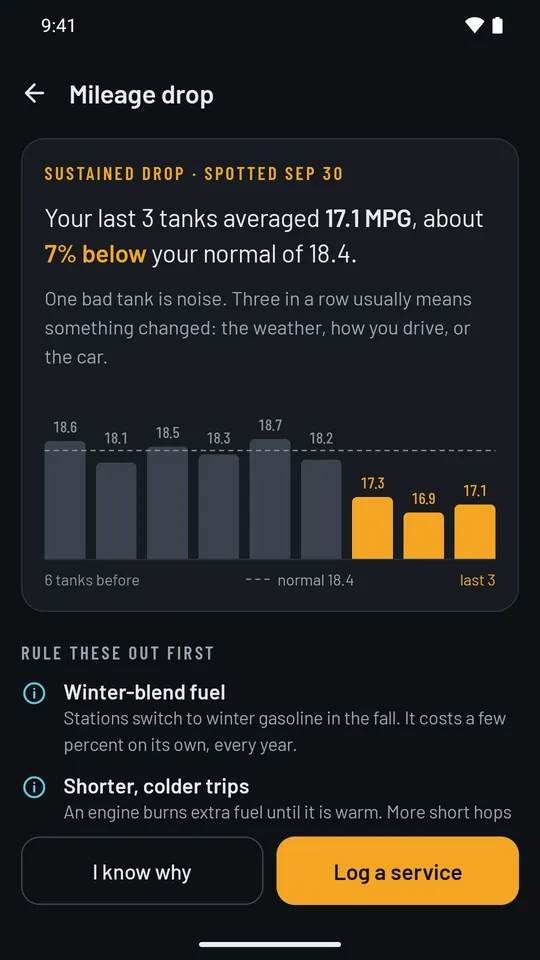
One bad tank is noise. Three in a row is a pattern.
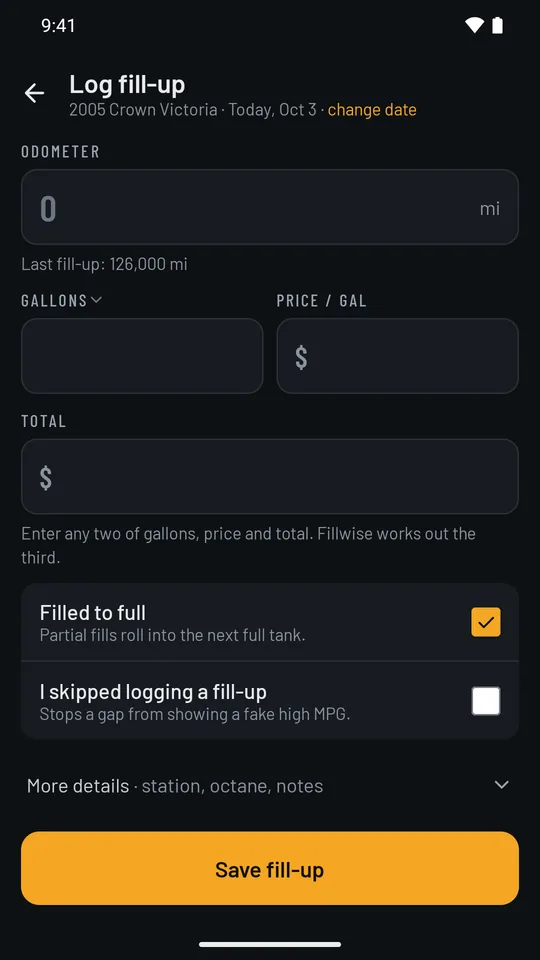
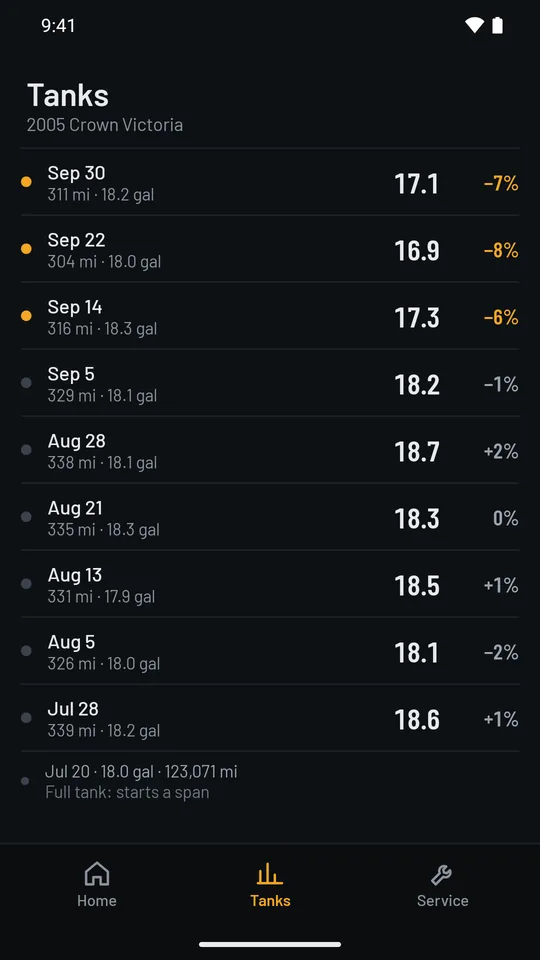
Fillwise measures economy from one full tank to the next, so a partial fill is counted with the next full tank instead of skewing the numbers. When economy falls and holds over several tanks, you get an alert, along with the usual suspects to rule out first.
- Know why it dropped? Say so: winter fuel, a change in your driving, or something else. The alert goes quiet, and comes back if mileage falls further or doesn't recover.
- Fixed something? Log the repair, and after three tanks Fillwise tells you whether mileage came back.
The rest of the app
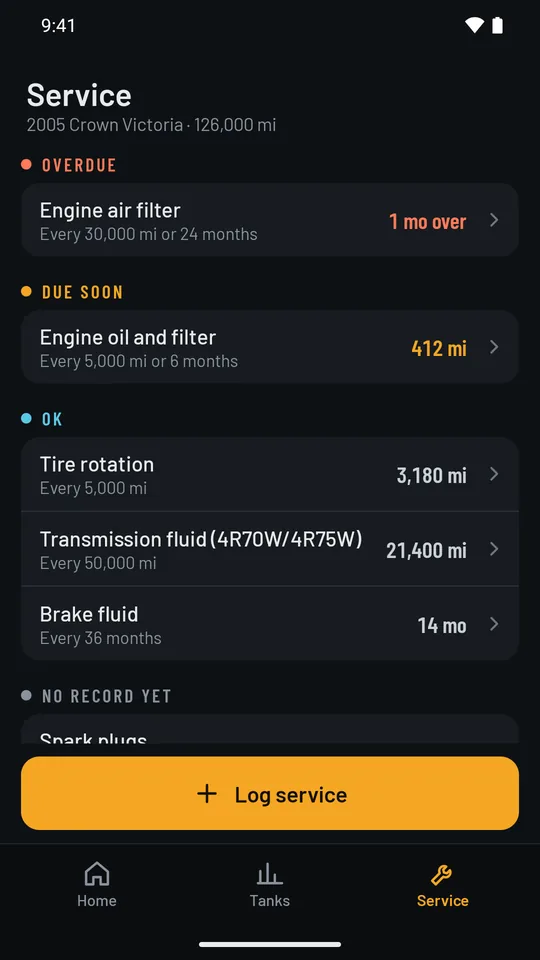
Fill-ups, tanks, and service in one place.
- MPG (US)
- MPG (UK)
- L/100 km
- km/L
- Miles or km
- US gal, UK gal, or liters
- Your currency
- Cost per mile or km
- More than one vehicle
No internet permission
The app doesn't ask Android for network access, so it can't send your data anywhere.
No account
Nothing to sign up for. Open the app and add your car.
No ads, no analytics
Nobody is watching how you use it.
Backed up your way
Your data lives on your phone, and in your Android backup if you have backup turned on.
Closed Alpha
Help shape Fillwise before it launches.
Fillwise is in a closed test on Google Play. Join, log your real fill-ups, and tell us what works and what doesn't. Everyone in the Closed Alpha gets premium free when it launches.
- Join the tester Google Group
- Opt in on Google Play
- Install and log your fill-ups